The short answer
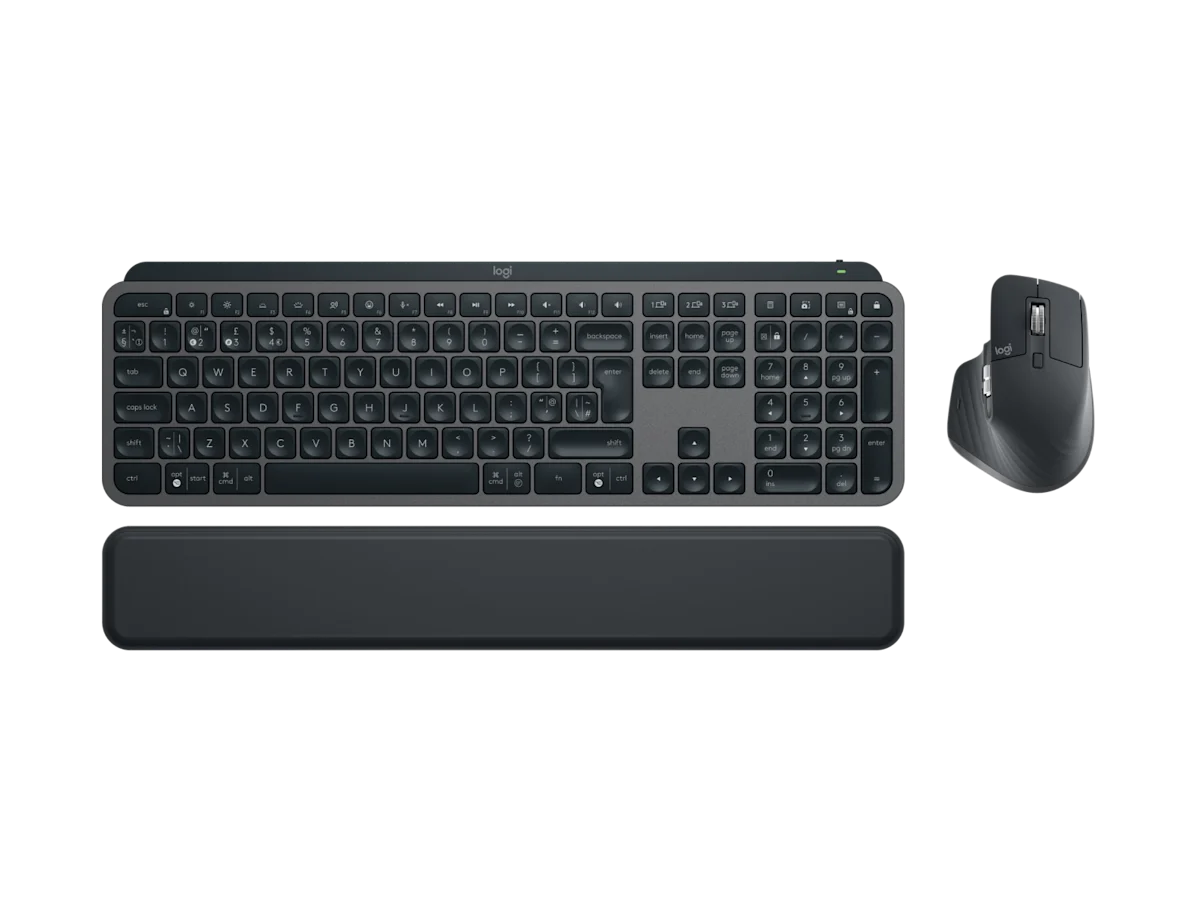
The Logitech MX Keys S and Keychron K3 Max solve different desk problems. The MX Keys S is the calm productivity choice: quiet, familiar, full-size, and easy to recommend to readers who want a polished keyboard without learning a hobby. The Keychron K3 Max is the compact mechanical choice: smaller, more tactile, and more configurable. For card-game study, the right answer depends on whether your current frustration is noise and simplicity or desk space and typing feel.
This comparison uses official information from Logitech's MX Keys S Combo page and Keychron's K3 Max page. We do not claim private latency lab tests. Our role is to translate product details into practical study desk decisions. You can read our standards on editorial policy and our team context on about Enjoy Poker.
Comparison table
| Category | Logitech MX Keys S | Keychron K3 Max | Better fit |
|---|---|---|---|
| Layout | Full-size with numpad | 75 percent compact | Logitech for spreadsheets, Keychron for small desks |
| Typing feel | Low-profile productivity | Low-profile mechanical | Logitech for quiet ease, Keychron for feedback |
| Noise | Generally quiet | Depends on switch choice | Logitech |
| Customisation | Logi Options Plus shortcuts | QMK/VIA key mapping | Keychron for deeper control |
| Portability | Desk-first | Easier to move | Keychron |
| Learning curve | Very low | Moderate if customising | Logitech |
Layout: numpad or mouse space
The biggest physical difference is width. MX Keys S uses a full-size layout, which is excellent if you enter numbers, use spreadsheets, or prefer every key in a predictable place. It is also wider, so the mouse sits farther from the body. That can matter during long sessions. If your shoulder starts to drift outward, the keyboard width is part of the problem.
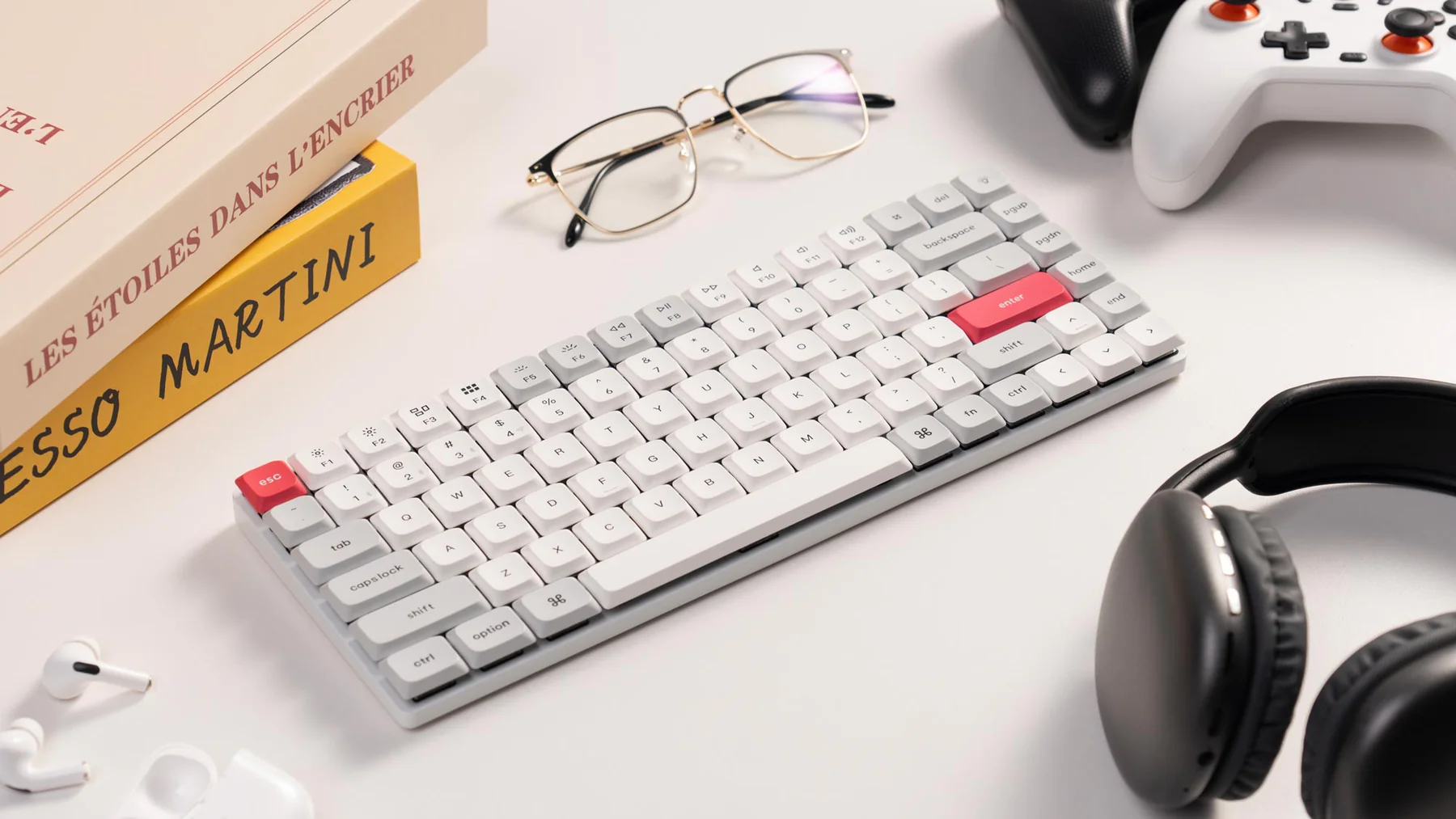
The K3 Max removes the numpad while keeping the main keys, function row, arrows, and navigation cluster. That makes it easier to centre the keyboard and keep the mouse close. It also leaves more room for a tablet, notebook, or stream deck-style accessory. If your desk is compact, the Keychron's footprint may improve comfort more than any switch spec.
There is no universal winner. Readers who write in spreadsheets, track budgets, or use the numpad daily should not pretend they will love losing it. Readers who rarely touch the numpad should not let it take premium desk space. Choose the layout that matches actual use.
Typing feel and note quality
Typing feel influences whether you write better notes. The MX Keys S is low, quiet, and easy to use. It feels closer to a premium laptop keyboard than a mechanical board. That is useful when you want the keyboard to disappear and let you focus on summarising a lesson or tagging mistakes. It is less satisfying if you enjoy tactile switches.
The K3 Max offers low-profile mechanical switches, so it has more physical feedback. Red, brown, and blue-style options create different noise and feel profiles. Brown is a common middle ground for note writing; red is lighter and quieter; blue is clicky and risky in shared rooms. The correct switch is the one you can use for an hour without fatigue or annoyance.
If you are unsure, prioritise quiet comfort over excitement. A keyboard that feels fun for five minutes can become distracting after a long study block. The best study keyboard should make it easier to capture thoughts, not pull attention away from them.
Software and customisation
Logitech's software approach is friendly. Logi Options Plus can support app-specific actions, smart shortcuts, and multi-device workflows. This is useful if you move between browser, notes, video player, and spreadsheet during the same session. The downside is that some readers dislike installing peripheral software or depending on it for features.
Keychron's VIA support is more enthusiast-friendly. You can remap keys, build layers, and create shortcuts that live closer to the keyboard. This is powerful, but it requires restraint. A few practical shortcuts are useful; an elaborate layer system can become another thing to maintain. If you enjoy tuning tools, Keychron has more depth. If you want to plug in and move on, Logitech is easier.
Wireless behaviour and desk reliability
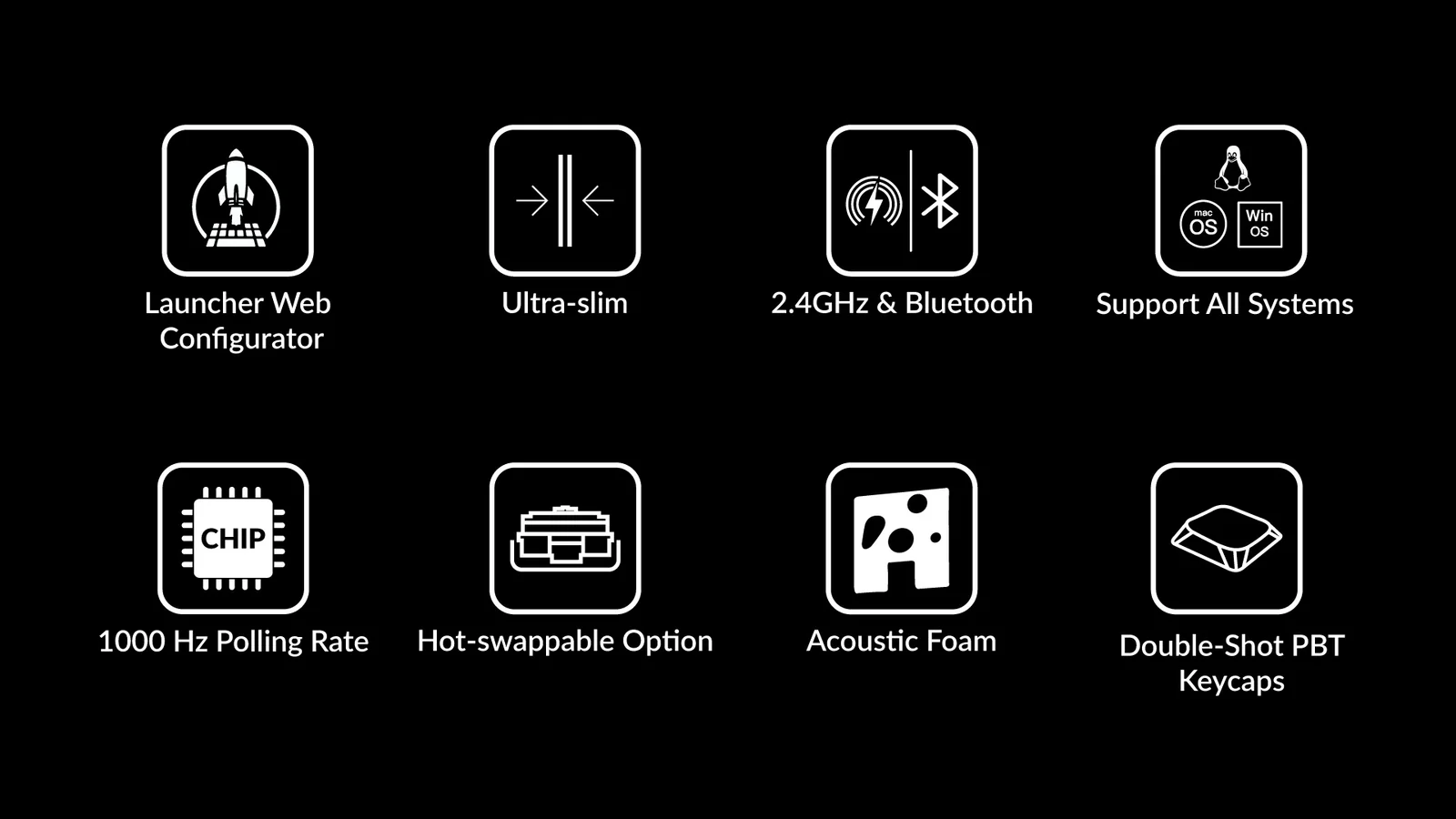
Both keyboards support wireless use, but their strengths feel different. Logitech is built around multi-device productivity and a mature consumer ecosystem. Keychron offers Bluetooth, 2.4 GHz, and wired modes, giving more connection choice for users who care about how the keyboard talks to the machine. In practice, desk reliability depends on receiver placement, interference, battery level, and operating system behaviour.
For study, wireless perfection matters less than consistency. You are not trying to win a reaction-time benchmark; you are trying to type without interruptions. Keep receivers close, charge devices on a schedule, and avoid placing routers or USB hubs directly beside wireless receivers. If you are building the wider setup, read our low-latency desk guide.
Which one is better value?
The MX Keys S makes best sense when you want keyboard and mouse productivity as one package. The value is the bundle, the software, and the low-friction setup. If you already own a good mouse, the combo may be less efficient. If you only want the keyboard, price it separately.
The K3 Max makes sense when compact mechanical feel is the point. You are paying for a layout, switch experience, wireless modes, and customisation. It may be better value if the keyboard is the tool you touch most and desk space is limited. It is worse value if you buy it for curiosity and then never customise or enjoy the mechanical feel.
Decision scenarios
Choose the MX Keys S if the keyboard needs to support several ordinary jobs at once: work email, spreadsheet notes, study summaries, browser shortcuts, and a shared room where noise matters. The familiar layout reduces mistakes, and the mouse bundle can simplify a desk that otherwise has mismatched accessories. That is useful for readers who do not want to think about switches, layers, or receiver placement beyond basic setup.
Choose the K3 Max if the desk is cramped, if you type long notes often, or if you already know you prefer a mechanical feel. Its smaller width can improve mouse position, and VIA support can turn repeated study actions into simple key choices. It is less suitable if you dislike configuration or need a numpad every session.
For a laptop-only reader, either keyboard may be too much at first. A stand, better screen height, or a clearer note template may have more impact than changing keys. Treat the keyboard as the second upgrade after you know typing is the bottleneck.
There is also a household context. A full-size quiet keyboard is easier to lend, easier for guests to understand, and less likely to trigger complaints about noise. A compact mechanical board is more personal. That is not a weakness, but it changes the buying decision. If the desk is yours alone, Keychron's personality may be welcome. If the desk is shared with work calls, family use, or late-night typing near other people, Logitech's predictability deserves more weight.
If you cannot test either keyboard in person, choose the lower-risk layout first. Full-size familiarity is easier to judge from photos than switch feel, sound, and compact-key habits.
Buying verdict
Choose Logitech MX Keys S if you want quiet productivity, full-size familiarity, and low setup friction. Choose Keychron K3 Max if you want a compact mechanical board, more desk space, and deeper keyboard control. The MX Keys S is the safer recommendation for shared spaces and general productivity. The K3 Max is the more interesting recommendation for readers who care about typing feel and compact setups.
The practical test is simple: would you rather forget the keyboard is there, or enjoy using it as a tuned tool? Logitech wins the first answer. Keychron wins the second.
Source notes and next reads
The comparison starts with official product pages: Logitech's MX Keys S Combo page, Keychron's K3 Max page, and Dell's UltraSharp U2724D page for desk-width context with an external monitor. We avoid using forum preference as a verdict because typing feel is personal.
For deeper single-product notes, read the Logitech MX Keys S Combo review and Keychron K3 Max review. If either keyboard is part of a larger desk build, the low-latency online desk guide helps decide whether keyboard spend should come before monitor, network, or cable fixes.
FAQ
Which keyboard is better for late-night study?
The MX Keys S is safer because it is quiet and predictable. The Keychron can also work, especially with quieter switches, but avoid clicky switches if anyone else can hear you.
Which keyboard is better with a tablet?
The Keychron is easier to move and can feel better in compact tablet setups. The Logitech is better if the tablet sits on a desk and you want a full-size typing surface. Check shortcut behaviour on your tablet operating system.
Is a mechanical keyboard worth it for poker study?
It is worth it if typing feel makes you write more consistently or if a compact layout improves posture. It is not worth it if you only want a basic keyboard and do not care about switches.